 Coincide
Feature of the day
Coding agents with a face: meet the Coincide bots
Bots are how you keep a standing assistant around in Coincide: a coding agent with a face, a personality and a job.
· Apoorv Darshan
What a bot is
A bot is a saved setup for new conversations: its look, name, personality and instructions, plus the agent, model and modes those conversations start with, and the folder they run in. Open the bot and you’re talking to that setup, on the command-line tool and login you already have. The Bots feature page has every option.
Pick a character
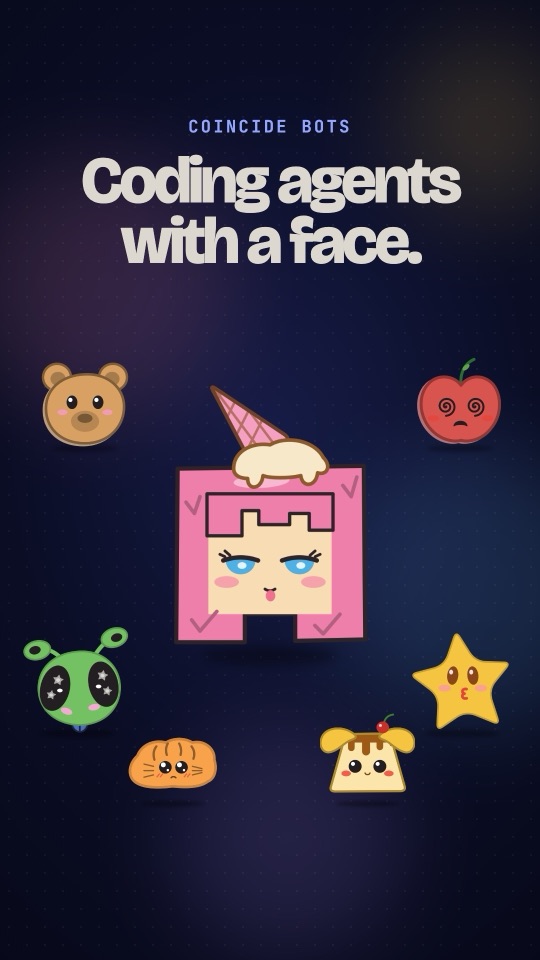
There are seven characters (Brulee, Alien, Star, Croissant, Bomboloni, Cherry and Teddy) and eleven colors. They’re drawn in code, so they stay sharp at any size, and their eyes blink now and then while the bot is working, unless you’ve asked macOS to reduce motion.
Give it a personality
Pick one of ten presets: Cheerful, Calm & Concise, Witty, Mentor, Coach, Straight Shooter, Curious Explorer, Professional, Gentle or Creative. Each one shows a sample greeting in its voice, written by hand, not generated. Or choose Custom and describe the personality yourself, starting from a preset’s text if you like.
Its own agent, model and folder
Each bot decides where its conversations start: Codex with GPT-5.5 in one repository, Claude Code with Opus in another. You don’t have to pick the agent, model and folder again every time.
Give it a routine
Scheduled tasks can send a message into a bot’s conversation once, daily, on weekdays or chosen days, weekly, every few minutes or hours, or on a cron expression, in a chosen time zone. A “Morning standup” every weekday at 9:00 is a single schedule. Schedules run while Coincide is open and wait for a busy thread to finish its turn.
The video recreates the app with demo data. The bots use Coincide’s own artwork.